Show desktop (or minimize all) in KDE 4 2009-10-17
Disclaimer: Please correct me if you know better. Thank you.
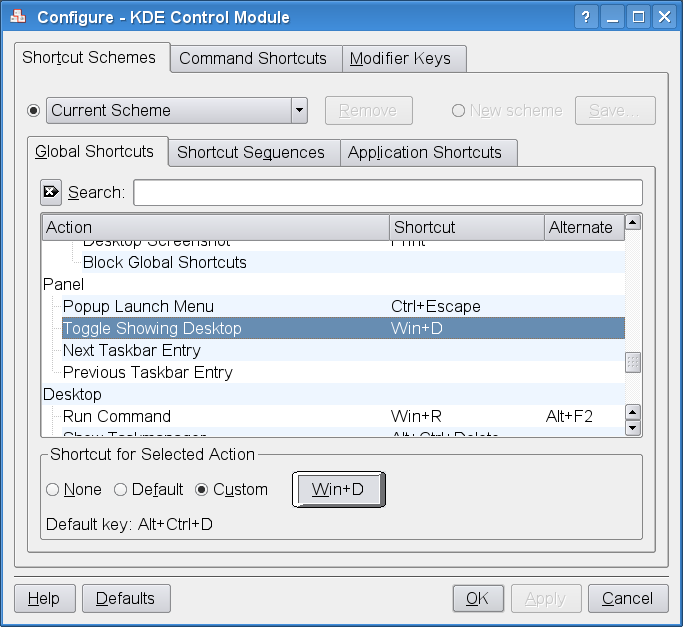
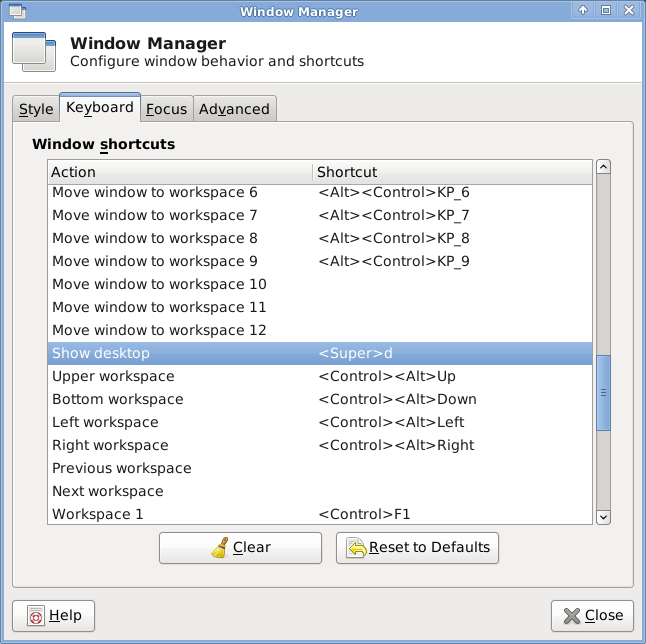
Back in KDE 3 I’ve been using WIN+D repeatedly to minimize all open windows (“show desktop”). In KDE 4 the “show desktop” feature seems to have been replaced by “show dashboard” (CTRL+F12), which is quite a different thing and not what I want.
As missing the minimize-all hotkey started really bugging me I invested a little time to find out if this is really the end. Luckily it’s not though I can only present a workaround rather than a “real solution”.
The easiest (only?) way to assign global hotkeys to programs in KDE 4 is adding an item to the KDE menu. So if we had a program/command to trigger a toggle on “show desktop” we were done. I found a tiny Bash script to do that:
#!/bin/sh
target=on
if xprop -root _NET_SHOWING_DESKTOP | fgrep '= 1' ; then
target=off
fi
wmctrl -k ${target}
(requires xprop and wmctrl, i.e. x11-apps/xprop and x11-misc/wmctrl in Gentoo)
Put that in a file called toggle-show-desktop.sh or so, make it executable and add a KDE menu entry for it:
(The Menu Editor can be found in the contect menue of the “KDE button” also know as Application Launcher Menu.)
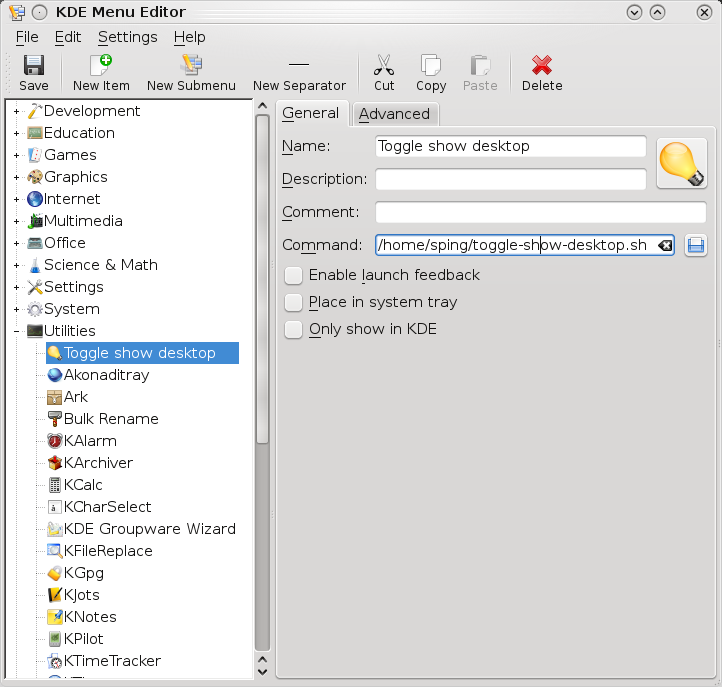
Now assign a hotkey in the “Advanced” tab, done.
For comparison/completeness in KDE 3 it’s here:


My next post/rant on KDE4 will probably be about the removal of vertical gradiants as desktop backgrounds. No, I don’t wat to do that with Gimp. Seems like I’m the only one ever having used it. Anyway…


There is a plasmoid that does what you want. It is called “show desktop” and you can add it to the panel or the desktop itself. Additionally you can assign a shortcut for activating it. I guess that would be what you want. Although as you have showed having this as a plasmoid only is a bit too hidden so it should get integrated to the plasma desktop shortcuts. Try to bug the kde people for it ;).
Bye
Hookahey
And you’re not the only one to ever use the linear gradients. I’ve used it to get such light glow effects which I find simple yet quite expressive (e.g. http://pingviin.org/album_showpage.php?pic_id=353 please mind the xsnow). 🙂
I’m still using KDE3 at the moment but have you tried D-Bus commands?
In KDE3 you could do some pretty neat things using DCOP, does KWin provide a minimizeAllWindows function you could invoke?
(Open Systemsettings, Input Actions, Right Click>New>Global Shortcut>D-Bus Command, you can launch the D-Bus browser on the Action tab and see if you can find a function for it [Try looking under Kdesktop as well as Kwin])
Actually you can setup active screen edges with such function.
also, as someone mentioned – plasmoid with a hotkey.
still i agree there must be a simplier way, hope they will work on it)
I missed that feature too. I have write a patch for kwin to this functionality.
In 12 of september my patch has been added to trunk for kde 4.4.
Buglink: https://bugs.kde.org/show_bug.cgi?id=182729
If you don’t want to wait for kde 4.4, you may
1) download my overlay from http://209.250.241.67/data/kwin.tar.bz2
2) unpack the archive to /usr/local/portage/baypkg/
3) add a string ‘PORTDIR_OVERLAY=”${PORTDIR_OVERLAY} /usr/local/portage/baypkg”‘ to your make.conf
4) emerge kwin
They added an item called Show Desktop in Global Keyboard Shortcuts -> KDE Component – KWin.
Great tip. Thanks. I’ve been looking around the web for similar solutions for quite a while now, but none appeared. I wonder how you managed to find the script on the web and who is the original author.
Thanks!
Thanks so much for the trick!!
This is the only working solution I could find to this annoying issue. A lot of people keep saying “there is a plasmoid that does what you want” but no one dared to explain where to find this ghostly plasmoid yet.
System settings -> Computer Administration -> keyboard and mouse -> Global keyboard settings -> Kde component: KWin -> Show Desktop.
thanks for the tip.
That would be great to have a dbus solution in the future…
Thanks for the script, saves me a lot of clicks 😉
really useful! thanks!
i didn’t want the plasmoid and i found this very usefull
thanks
This was exactly what I was looking for. Thank you!
Maybe later, but right click in the showdesktop icon->settings->Keyboard shortcut
This all